
Subscribe and get your API Key
Opening a free rapidAPI.com account
The Maintenanceman API subsciptions (including the free plans) are managed through RapidAPI.com. In order to use the API you first have to open up a free account at RapidAPI.com or sign in if you already have an account.
Subscribing to the API
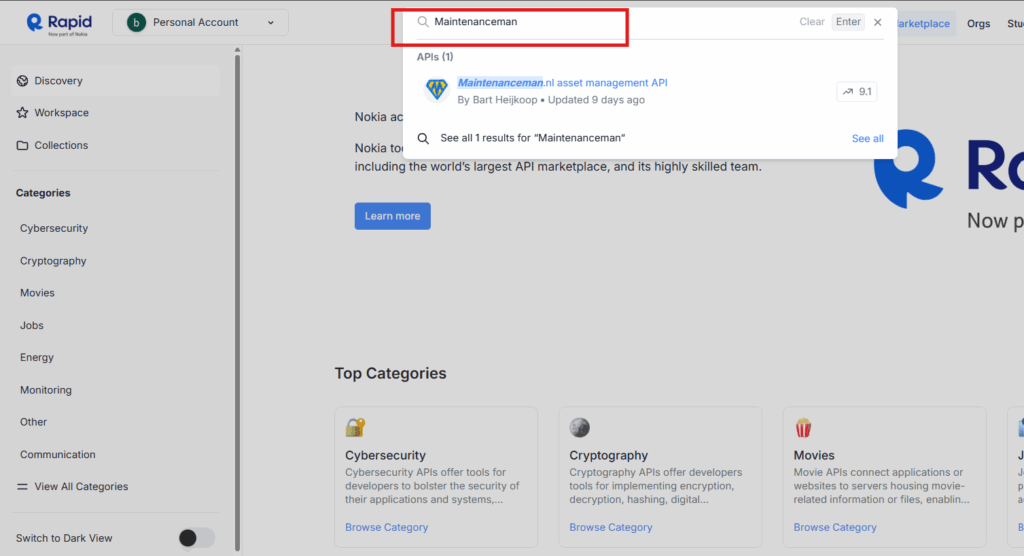
Once you are logged in start typing “Maintenanceman” in the search box, until you see the Maintenanceman.nl asset management API appear in the results, and click that.
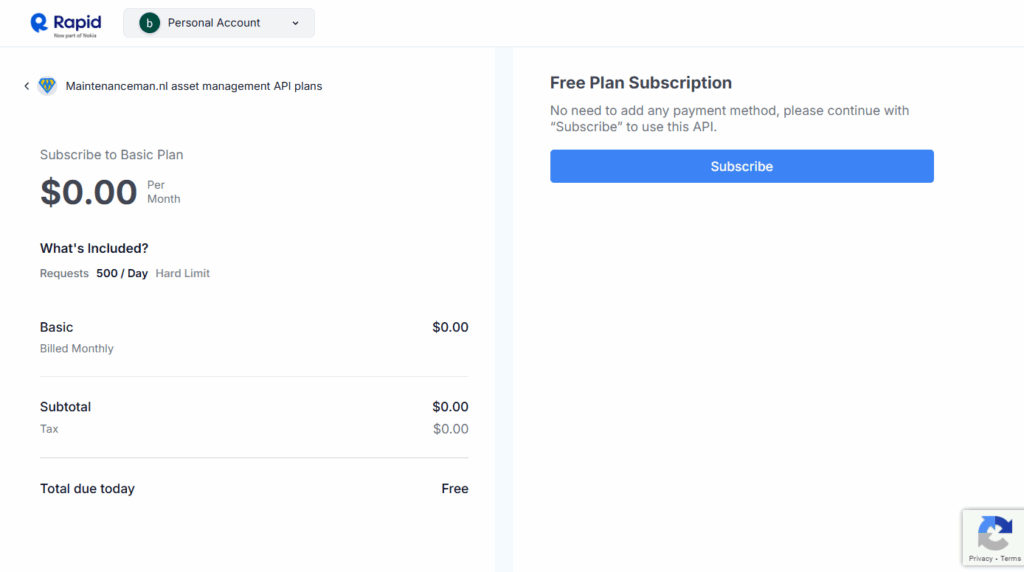
Once you have reached the maintenanceman.nl API page, click the “Subscribe to Test” button and select the free plan.

As the the free plan does not require any payment information, you can just hit the “Subscribe” button. Note that the free plan is suitable for almost all users. Considerations to become a paid subscriber could be to unlock certain premium features or if you are an extremely heavy user.
Finding your API Key
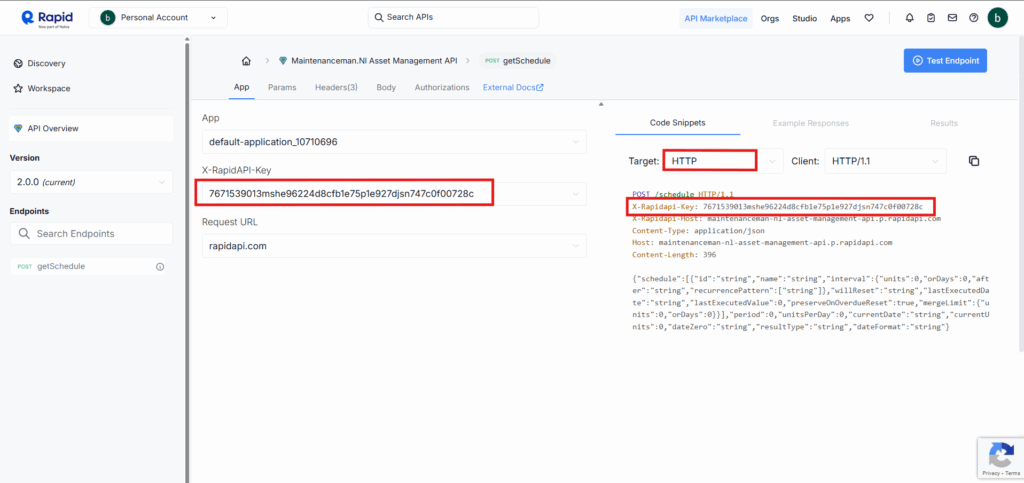
Once you have completed the subscription procedure, you will return to the API main page. On the left side of your screen you will see the X-RapidAPI-Key. This API-key is your unique identifier and should be included with every API request made to the server. Unfortunately you cannot copy it immediately from this part of the screen, but it is also included in the code snippets on the right side of your screen, which allow you to copy it and store it in a convenient place.
Congratiolations! You are now completely set-up to start using the API. Please refer to the API reference for details on how to compose your API request.